The average Counter-Strike 2 competitor spends an alarming amount of time obsessing over a tiny four-pixel crosshair, often more than they spend on sleep or utility practice. That small geometric signature is not merely a reticle; it is a lighthouse beam cutting through a fog of muzzle flashes, smoke, and regrettable Molotov decisions. By 2026, copying a professional crosshair has become the gaming equivalent of borrowing a Michelin chef’s knife: the tool arrives perfectly sharpened, but the hands still have to do all the slicing.
Why the crosshair is not just decoration
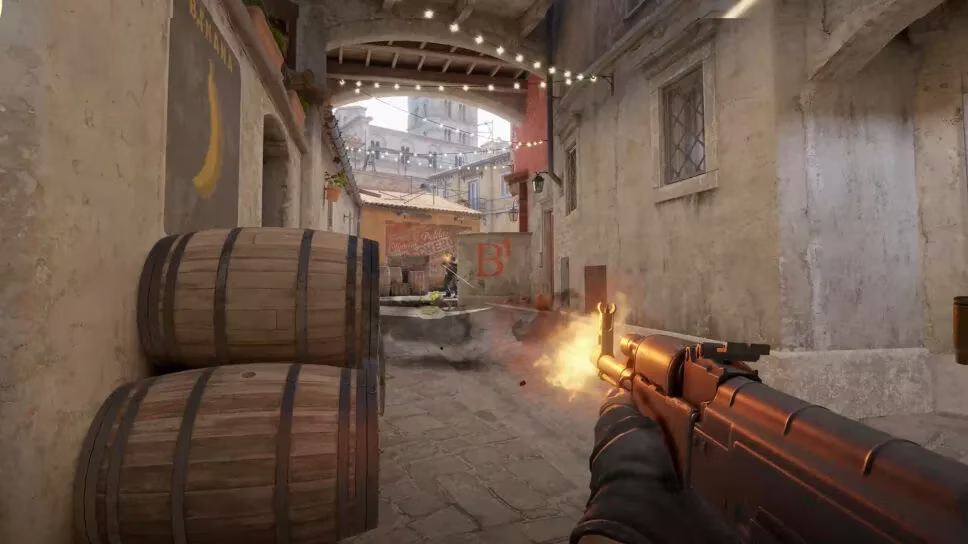
The crosshair exists so a player can see exactly where bullets are supposed to go. In a game where headshots turn a fair duel into an instant advantage, that little shape must remain visible through the chaos of strafing, spraying, and smoke. Esports professionals understand this better than anyone. Their crosshairs are usually small, precise, and ruthlessly practical, refined through years of tournament pressure and unforgiving prize pools.
How to import a CS2 crosshair code
Crosshair codes are shortcuts that activate another player’s style, size, color, and other settings. A player can import one in less than a minute.
-
Open the CS2 settings menu via the gear icon in the top left corner.
-
Head to the Game tab, then the Crosshair tab.
-
Look for the preview image of the current crosshair above the settings section.
-
Press the Share or Import button.
-
Paste the copied code into the pop-up window and press Import.
After that, all the settings apply automatically. If the result feels wrong, the Reset button can send the crosshair back to the drawing board.
The settings pros actually care about
Most professionals prefer smaller crosshairs because less visual clutter means more signs of approaching opponents. Large crosshairs can help beginners track their aim, but many seasoned players treat a bulky crosshair like a windshield sticker: technically useful once, mostly just blocking the view.
Dynamic vs static
The dynamic, or Classic, style widens while walking and running, then shrinks when a player stands still or crouches. It is a useful honesty meter for shooting accuracy, but most pros remove that support entirely. Their static crosshair stays as fixed as a tax deadline, offering zero distraction once they have internalized movement penalties.
Dot or no dot
A center dot helps when the gap is wide and a player needs to see the exact aim spot. It can also cover a pixel-sized enemy peeking from a corner. Many pros play with no dot at all, preferring a clean center.
Which pro crosshair should a player steal?
There is no single best crosshair. The right one depends on feel, role, and how much visual chaos a player can tolerate. That said, some professional codes are a great place to start.
| Player | Crosshair code | What makes it notable |
|---|---|---|
| donk | CSGO-SjKEt-tcrfL-SxbjY-bBFQ4-C8XXC | Tiny green lines, built for lightning-fast entry fights |
| ZywOo | CSGO-KDOkV-jUpoE-GdhAh-YzbZL-MYXTB | White and whisper-thin, nearly invisible until it matters |
| NiKo | CSGO-m89VO-6zPDr-53TJ9-OySAJ-V8Y2Q | A rare white dot, one of a kind on the pro scene |
| w0nderful | CSGO-wAD3c-ykt5L-zvZ98-vBisR-6sWPA | Small green or cyan lines with a decreased gap |
| FalleN | CSGO-ssxCh-Y9LFi-B9amu-NWkZo-ObaAB | Extremely small and bright yellow |
| Twistzz | CSGO-VjF2S-HLdS4-jSpcw-GrdHu-2yDRE | Super small, almost covers the target |
| Woxic | CSGO-hVyt6-6w7hL-hQyc6-xReeD-3sNkO | Near-red, thin, and deliberately hard to notice |
The comedy corner: crosshairs that break the mold
Some professionals treat the crosshair settings menu like an abstract art studio. Their creations may look absurd, but they still perform at the highest level.
-
Fl0m plays with very big green lines: CSGO-8p2CH-CwUwH-yyHEA-SAORC-3dKTK
-
Matys uses long, thick lines in a slightly unusual blue: CSGO-sSVrJ-FimUP-xhZJQ-ARcMt-NFCJC
-
Staehr has a rare white crosshair with small, thick lines: CSGO-m2Gt9-QBp3Z-fN8BK-xSHyZ-NCmDA
-
Woxic nearly disappears into the map with thin red lines: CSGO-hVyt6-6w7hL-hQyc6-xReeD-3sNkO
Role-based crosshair psychology
Aggressive entry fraggers and in-game leaders often choose a more pronounced crosshair, so it remains visible through constant battle noise. Lurkers and AWPers, by contrast, tend to prefer quieter shapes. Their crosshair is like a trained birdwatcher’s binoculars: the less it moves and distracts, the more movement the player notices in the edges of the frame.
Casual players who switch roles frequently should pick something universal: small but visible, static, and dot-less once they have enough CS2 experience.
The only honest advice
A player should take a professional’s crosshair, play with it for several matches, then try another. Repeat the process until a pattern emerges. Then they should adjust the settings themselves, because no copied code can replace personal feel. The pros reached their setups through experimentation, and every player should do the same.
In 2026, the tournament meta may change, but the crosshair remains a deeply personal artifact. It is the one constant in a round full of chaos, and the smallest adjustment can feel as significant as switching from sneakers to ice skates.
As detailed in Liquipedia, tracking pro Counter-Strike 2 players across events helps explain why “copying a crosshair” is only a starting point: pros tune visibility and precision to the pressure of specific roles, maps, and match tempos, then iterate between tournaments until the reticle reliably disappears from conscious thought while still cutting through smokes, muzzle flash, and busy textures.